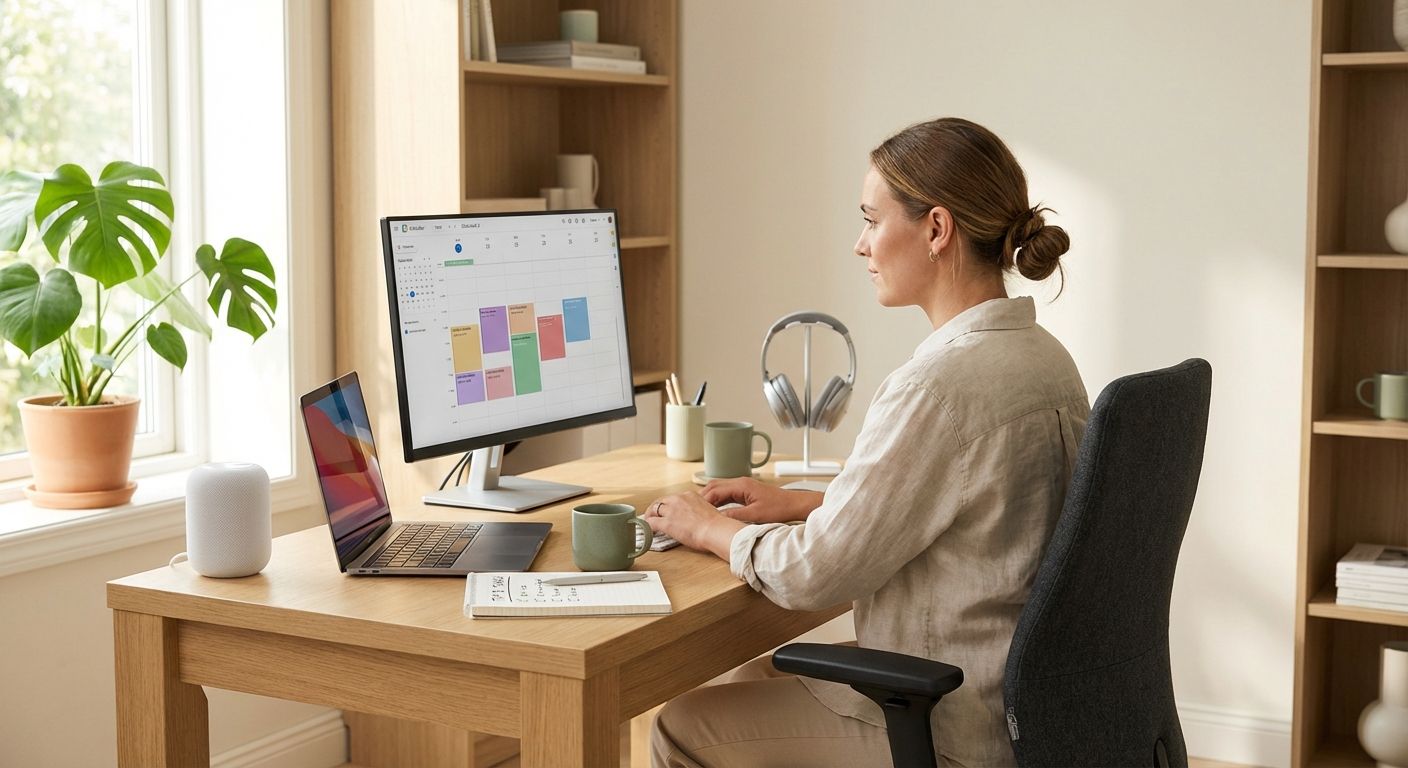
Productivity in the home office begins with intentional design and habits that support deep work, focus and sustainable energy. In this comprehensive guide you’ll find step-by-step actions for organizing your environment, mastering time management, cutting distractions, building efficient routines and maintaining a healthy work-life balance — all tailored for remote professionals, freelancers and hybrid employees.
Why remote work challenges productivity
Working from home brings unique benefits and challenges. While remote work can increase flexibility, it often reduces external structure and increases interruptions. Understanding the root causes helps you design targeted solutions. Common productivity drains include:
- Poor workspace ergonomics and clutter that break concentration.
- Unclear boundaries between work and personal life.
- Frequent digital interruptions (notifications, messaging apps).
- Insufficient routines that support sustained focus and recovery.
Before applying tactics, assess which of these impact you most. Keep a short diary for 3–5 workdays to track interruptions, energy slumps and productivity peaks.
Organizing your home office for focus
Physical and digital organization are equally important. A well-organized space reduces decision fatigue and primes you for productive sessions.
Physical setup
- Designate a dedicated workspace: even a corner works if it’s consistently used for work. Avoid working from bed or the couch when possible.
- Ergonomics matter: invest in a supportive chair, monitor at eye level and a keyboard/mouse setup that prevents strain.
- Control lighting: prioritize natural light and add a task lamp to reduce eye strain.
- Minimize clutter: keep only daily essentials on your desk and store other items in labeled organizers.
- Acoustic management: use noise-cancelling headphones or soft furnishings to reduce distracting sounds.
Digital organization
- Inbox zero principles: schedule specific times to process email and use filters/labels to triage automatically.
- Unified task system: consolidate tasks into one tool (e.g., Todoist, Notion, or a simple paper notebook) and use priority tags.
- Declutter your desktop: maintain a limited set of startup apps and a clean file structure to find documents quickly.
- Automate repetitive tasks: use tools like Zapier, IFTTT or native automation in apps to reduce manual work.
Time management techniques that work from home
Structure and rhythm replace the office’s natural cadence. Apply proven methods that promote sustained focus:
Block scheduling
Plan your day in focused blocks (60–90 minutes) for deep work, with short breaks in between. Use your calendar to book those blocks and treat them as non-negotiable commitments.
The Pomodoro Technique (adapted)
Work in 25–50 minute sprints followed by 5–10 minute breaks and a longer break after 3–4 sprints. Customize timing based on your attention span. The method helps combat procrastination and maintain momentum.
Time batching
Group related tasks (emails, meetings, administrative work) into specific times of the day to reduce context switching. For example:
- Morning: creative deep work
- Late morning: quick calls and emails
- Afternoon: administrative tasks and collaboration
Reducing distractions and protecting attention
Protecting attention is one of the highest-leverage activities for boosting productivity in the home office. Here are practical steps:
- Turn off unnecessary notifications: silence non-essential apps during focus blocks and use “Do Not Disturb” modes.
- Use website blockers: tools like Freedom, Cold Turkey or browser extensions can limit access to distracting sites during work sessions.
- Set clear boundaries with household members: communicate your focus hours and use visual cues (closed door, sign) when you need uninterrupted time.
- Batch communication: designate times for Slack, Teams or email; avoid constant context switching.
Meeting practices
Reduce meeting load by applying strict rules: agendas, time limits, and only invite essential participants. Replace some meetings with asynchronous updates (recorded videos, shared docs).
Creating routines that sustain performance
Routines prime your brain for work and for rest. Build micro-routines around transitions to signal the start and end of work:
- Morning ritual: a short routine that prepares you mentally (hydration, light movement, 10 minutes of planning).
- Pre-focus routine: a checklist you complete before each deep work block (clear desk, mute notifications, set timer).
- End-of-day ritual: review accomplishments, plan tomorrow’s top 3 tasks, and physically step away from the workspace.
Routines reduce decision fatigue and make high-performance habits automatic over time.
Energy management and breaks
Productivity is not just time management — it’s energy management. Align demanding tasks with your peak energy windows and protect recovery periods.
- Identify your chronotype: schedule challenging tasks when you’re naturally more alert.
- Microbreaks: short movement or breathing breaks refresh focus between sprints.
- Lunch and movement: take an actual break away from screens to improve afternoon productivity.
See research on the benefits of breaks for cognitive function at Harvard Business Review: hbr.org.
Maintaining work-life balance in a shared space
Blurring boundaries is a major threat to long-term wellbeing. Use these strategies to create separation:
- Define work hours: set specific work start and end times and communicate them to colleagues and family.
- Use physical cues: a dedicated workspace or closing a door signals availability.
- Schedule personal time: block non-work activities in your calendar just like meetings.
For hybrid workers, create rituals for transitioning between office and home days to mentally shift modes.
Tools and apps to support productivity
Choose tools that reduce friction and integrate with your workflow. Some popular categories and examples:
- Task management: Todoist, Asana, Notion
- Focus & blockers: Forest, Freedom, Cold Turkey
- Automation: Zapier, Make (formerly Integromat)
- Communication: Slack, Microsoft Teams (use status indicators and do-not-disturb)
Measuring progress and iterating
Track a few key metrics to measure improvement and adjust systems:
- Focus time per day: hours spent in deep work
- Completed priority tasks: percentage of top 3 tasks completed daily
- Meeting time: hours spent in synchronous meetings
Review these metrics weekly and perform small experiments (change a routine, try different block lengths) to find what fits your context.
Practical 7-day action plan
Start small with a 7-day sprint to build momentum:
- Day 1: Set up a dedicated workspace and clear clutter.
- Day 2: Create a weekly calendar with blocked focus times.
- Day 3: Implement one distraction blocker and mute non-essential notifications.
- Day 4: Establish morning and end-of-day rituals.
- Day 5: Batch communications and reduce meeting load.
- Day 6: Track focus time and identify energy peaks.
- Day 7: Review progress, iterate and set next-week improvements.
Final recommendations
Improving productivity in the home office is an ongoing process of design, measurement and habit formation. Start with small, sustainable changes: organize your workspace, protect attention, build routines and manage energy. Over time these changes compound into consistent, high-quality output without sacrificing wellbeing.
Further reading and trusted sources:
Buffer – State of Remote Work, Harvard Business Review. For academic perspectives, search PubMed and Google Scholar for studies on remote work, breaks and cognitive performance.
Start today: pick one action from the 7-day plan and commit to it for one week — small changes lead to lasting gains.